Creating a home workspace that feels both relaxing and productive is important for anyone working from home, whether full-time or occasionally. A well-designed environment can boost focus, reduce stress, and improve your overall work experience. Here are some useful tips to help you set up a workspace where you can truly thrive.
Choose the Right Location
Consider Natural Light
Select a spot in your home where you can benefit from natural daylight. Exposure to natural light helps regulate your body clock and can improve mood and concentration. If possible, position your desk near a window but avoid glare on your screen.
Find a Quiet Area
Opt for a place away from household noise and distractions. This might be a spare room, a corner in the living room, or even a nook in your bedroom. A quieter environment helps you stay focused and reduces stress.
Invest in Ergonomic Furniture
Choose a Comfortable Chair
Spend time selecting a chair that supports good posture. Look for adjustable height options, lumbar support, and comfortable cushioning. This will help prevent aches and improve comfort during long working hours.
Get a Suitable Desk
An ideal desk should offer enough surface space for your computer, documents, and any other essentials. Adjustable desks that allow you to switch between sitting and standing positions are becoming popular for their health benefits.
Organise Your Workspace for Efficiency
Declutter Regularly
Keep your desk tidy by removing unnecessary items. A clutter-free space reduces distractions and helps your mind stay clear.
Use Storage Solutions
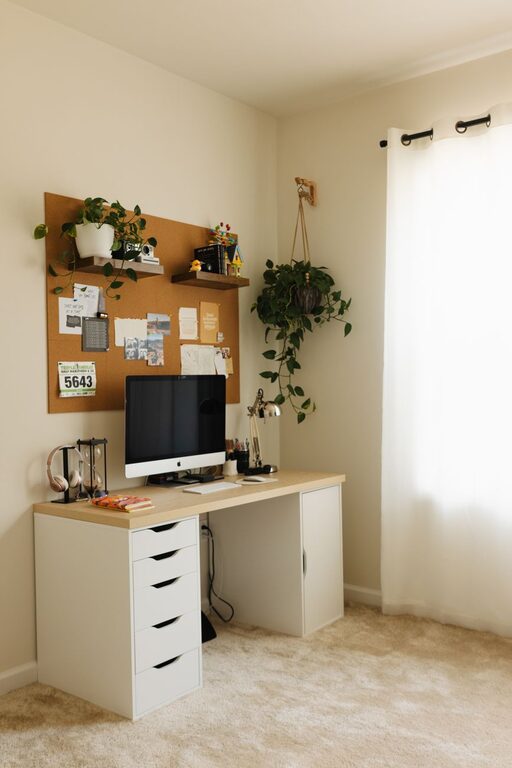
Use shelves, drawers, or organisers to store supplies and paperwork. Labelled containers or trays can make it easier to find what you need quickly.
Personalise Your Space
Add Calming Decorations
Introduce plants, artwork, or personal mementos that create a sense of calm without overwhelming the space. Plants, in particular, can improve air quality and add a touch of nature, which may enhance relaxation.
Choose Soothing Colours
Select colours for your workspace that promote calmness and focus. Soft blues, greens, or neutrals tend to be good choices, whereas very bright or harsh colours might cause distraction.
Manage Lighting Wisely
Use Task Lighting
In addition to natural light, invest in adjustable desk lamps that provide focused lighting. This can reduce eye strain and allow you to work comfortably even in the evening.
Consider Ambient Lighting
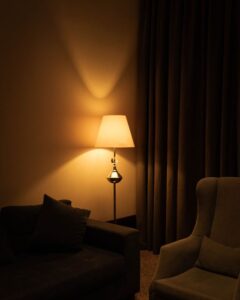
Soft overhead lighting or floor lamps can create a warm atmosphere, helping to balance the brightness of screens and preventing fatigue.
Set Boundaries and Routine
Define Working Hours
Establish clear start and finish times to separate work from personal time. This helps to maintain a healthy work-life balance.
Take Breaks Regularly
Include short breaks in your day to stretch, hydrate, and rest your eyes. Movement and fresh air can increase productivity and reduce stress.
Minimise Digital Distractions
Organise Your Digital Workspace
Keep your computer desktop tidy and use tools to manage notifications. Closing unnecessary tabs and applications helps to maintain focus.
Use Headphones or Noise-Cancelling Devices
If background noise is unavoidable, consider headphones or noise-cancelling devices to minimise distractions.
Maintain Good Air Quality and Comfort
Ventilate Your Workspace
Open windows when possible to let fresh air in. Proper ventilation can improve concentration and overall well-being.
Control Temperature
Ensure your workspace is neither too hot nor too cold. A comfortable temperature supports longer periods of productive work.
Final Thoughts
Creating a relaxing yet productive home workspace involves thoughtful choices from location to lighting and organisation. By personalising your space and paying attention to ergonomics and routine, you can build an environment that helps you work efficiently while feeling calm and comfortable. Remember, small changes can make a big difference, so start with one or two improvements and adjust as you discover what works best for you.