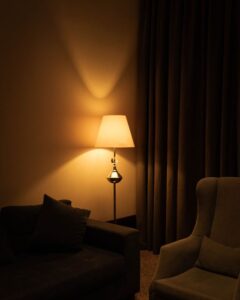

Working from home has become increasingly common, and having a well-organised workspace can make a significant difference in how productive and comfortable you feel throughout the day. Whether you have a dedicated room or just a corner of your living room, setting up a functional and inspiring workspace helps you stay focused and motivated. Here are some practical tips to help you create a productive home workspace.
1. Choose the Right Location
Consider Natural Light
Select a spot with good natural lighting if possible. Natural light helps reduce eye strain and boosts mood. Position your desk near a window, but avoid glare directly on your computer screen.
Minimise Distractions
Pick a quiet area where you can work uninterrupted. If you share your home, inform others about your working hours to respect your focus time.
Space and Comfort
Ensure the space is large enough to comfortably fit your desk, chair, and any additional equipment. Avoid cramped corners that may feel restrictive and uncomfortable.
2. Invest in Ergonomic Furniture
Choose the Right Chair
A good ergonomic chair supports your back and allows for adjustments in height and tilt. Sitting comfortably reduces fatigue, helping you stay productive for longer periods.
Desk Height and Layout
Your desk should be at a height where your arms rest comfortably while typing. Arrange frequently used items within easy reach to minimise unnecessary movement.
Standing Desk Option
Consider a sit-stand desk if possible, which lets you alternate between sitting and standing. This flexibility can improve posture and energy levels.
3. Declutter and Organise
Keep Essentials Handy
Only keep items you use daily on your desk, such as your computer, notepad, and pens. Store less frequently used items in drawers or shelves.
Use Organisers and Storage
Desk organisers, trays, and filing systems help keep paperwork and stationery tidy. Label boxes and folders to find things quickly.
Digital Declutter
Maintain organised digital files with clear folder structures. Regularly clean your desktop and inbox to avoid feeling overwhelmed.
4. Personalise Your Space
Add Personal Touches
Incorporate elements that inspire you, like photos, plants, or artwork. Personal touches make your workspace inviting and motivate you to spend time there.
Avoid Overcrowding
While personalisation is important, avoid cluttering your space with too many items. A tidy, calm environment supports concentration.
5. Manage Lighting Effectively
Combine Natural and Artificial Light
Balance daylight with good quality artificial lighting. Use a desk lamp with adjustable brightness to reduce eye strain during low light.
Avoid Glare and Shadows
Position lights to avoid screen glare and shadows on your work surface. Anti-glare screen protectors can also help.
6. Implement Noise Control
Use Noise-Cancelling Headphones
If your home is noisy, noise-cancelling headphones can help you concentrate.
Background Sounds
Some people find background music or white noise helpful. Experiment with what works best for you.
Soundproofing Solutions
Consider rugs, curtains, or acoustic panels to reduce echo and outside noise.
7. Maintain Regular Breaks and Movement
Organise Your Schedule
Include short breaks in your routine to rest your eyes and stretch muscles.
Create a Break Zone
If space allows, have a separate spot for breaks to mentally separate work from relaxation.
8. Keep Technology Efficient
Reliable Internet and Equipment
Ensure your internet connection is stable and your computer is up to date to prevent interruptions.
Cable Management
Use cable clips or ties to organise wires and reduce clutter.
9. Set Boundaries
Define Working Hours
Establish clear work hours to separate work and home life.
Communicate with Family or Housemates
Make sure others respect your workspace and time.
—
By following these tips, you can create a home workspace that not only boosts your productivity but also supports your well-being. Remember, your workspace should work for you—comfortable, organised, and personalised to meet your needs. Happy working from home!